INTRODUCTION
Not every business problem needs a team of developers and six months of work. Sometimes, the smartest solution is also the fastest one. Power Apps, Microsoft’s low-code platform, has changed how companies build internal tools, automate workflows, and solve day-to-day operational challenges. However, knowing when to use it and when to go custom can make the difference between success and a costly mistake.
In this guide, you will learn exactly when Power Apps development is the right choice, what its real limitations are, and how to make a confident decision for your team or organization.
What Is Power Apps and Why Does It Matter?
Power Apps is a Microsoft low-code platform that allows users to build functional business applications with minimal coding. It connects natively to Microsoft 365, SharePoint, Dataverse, Teams, and hundreds of other services through Power Automate connectors.
The key benefit is speed. Furthermore, it gives non-technical users, often called “citizen developers,” the ability to create apps that would otherwise require a dedicated development team. For many internal business tools, it makes Power Apps Development genuinely transformational.
However, it is important to separate the marketing promise from the practical reality. Power Apps works brilliantly inside its intended scope and can become a bottleneck when pushed beyond it.
Scenarios Where Power Apps Development with Low-Code Wins
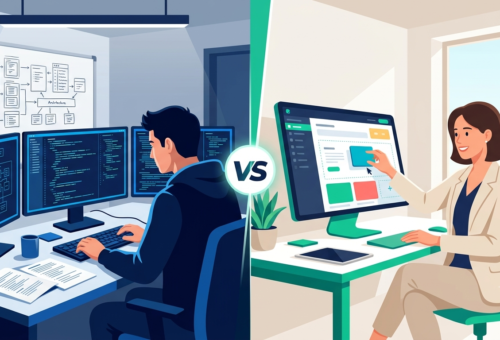
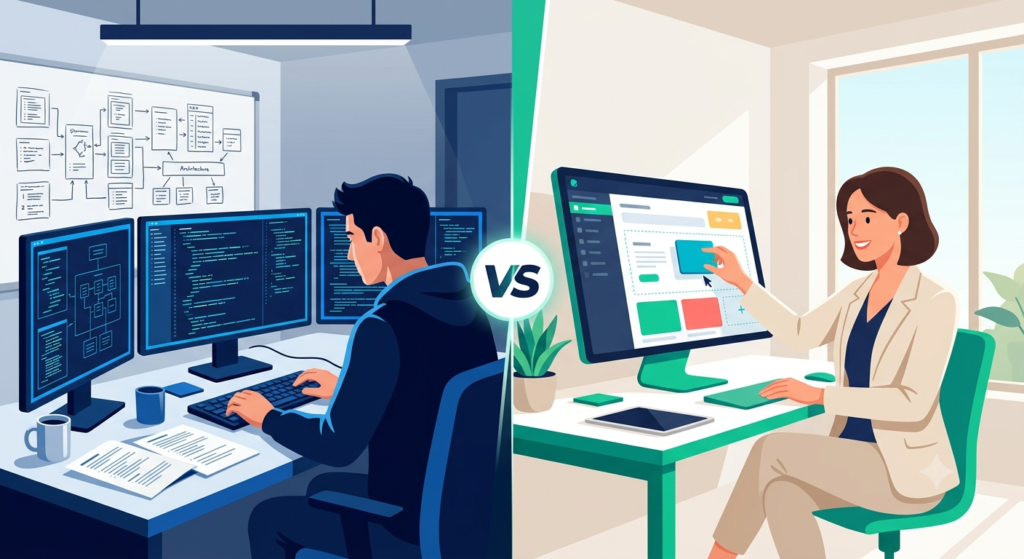
There are several situations where choosing Power Apps development over custom development is clearly the right move.
First, when the timeline is tight. Custom development typically requires weeks or months of planning, building, testing, and deploying. Power Apps development can deliver a working solution in days. For example, a team that needs a field inspection form connected to SharePoint can have a polished, mobile-ready app running in one afternoon.
Second, when the audience is internal. Power Apps shines for employee-facing tools: expense reports, approval workflows, inventory tracking, and onboarding checklists. These use cases rarely need pixel-perfect design or extreme performance optimization.
Additionally, when Microsoft stack integration is already in place, Power Apps development becomes even more powerful. Organizations already using Teams, SharePoint, or Dynamics 365 can connect data sources without complex API work.
Finally, when budget is limited, the cost difference is significant. Custom development requires ongoing developer time for maintenance, updates, and bug fixes. Power Apps cost at least 50% less and shifts much of that burden of maintenance to the platform itself.

When Custom Development Is the Better Path
While still powerful, Power Apps has real limits, and pushing past them leads to frustration and technical debt. Therefore, it is equally important to recognize when custom development is the smarter investment.
Custom development makes more sense when the application will serve external customers. Power Apps is licensed per user within the Microsoft ecosystem. Consequently, building a customer portal or a public-facing application on top of it becomes expensive and architecturally awkward.
Moreover, when the business logic is highly complex, with deeply nested conditions, custom algorithms, or real-time data processing needs, a professional development team will deliver a more stable and scalable result. Low-code platforms abstract complexity, which is great until the complexity exceeds what the abstraction can handle.
Performance requirements are another consideration. While Power Apps handles moderate data volumes well, applications that process thousands of simultaneous records or require millisecond response times will benefit from a purpose-built backend.
In summary, the rule of thumb is straightforward: if the solution needs to scale beyond your internal team, serve diverse external users, or handle high-complexity logic, custom development is the right call.
The Hybrid Approach Most Teams Overlook
One of the most underused strategies is combining both approaches. Many organizations build a Power Apps front end for data capture and user interaction, while connecting it to a custom-built API or database on the backend.
This hybrid model offers speed on the interface layer and full control on the data and logic layer. As a result, teams can move quickly without sacrificing the scalability they will eventually need.
For instance, a logistics company might use Power Apps to give warehouse staff a mobile scanning interface, while the inventory calculations and reporting engine run on a custom-developed service. Both sides do what they do best.
Making the Decision for Your Business
Before choosing a platform, consider three practical questions. First, who will maintain this application after it is built? Second, how many users will access it, and are they internal or external? Third, will this application need to grow significantly in the next 12 to 24 months?
If your answers point toward internal, limited-growth, and low-maintenance needs, Power Apps low-code development is very likely your best path. On the other hand, if you are building something strategic and customer-facing, investing in custom development from the start will save significant costs later.
According to Microsoft’s own Power Platform documentation, Power Apps supports over 900 connectors and is used by more than 10 million monthly active users globally.
Conclusion – There Is a Professional Path Forward
Choosing between Power Apps and custom development does not have to be a guessing game. Both are powerful options and the right choice depends entirely on your context, goals, and internal capabilities.
However, navigating these decisions well, especially when your business systems need to work together seamlessly, is where professional guidance makes a real difference. Sapphire Business Technology has helped more than 2,000 clients make exactly these kinds of decisions, building customized solutions in Excel, Power BI, Power Apps, and beyond. If you want to stop guessing and start building right, the expertise is ready for you.
Content created by Sapphire Business Technology, based on over 2,000 successful client engagements in business technology consulting and development.