Key takeaways
- Accountancy practices can automate most repetitive Excel work, from invoice reconciliation to trial balance checks, using formulas, conditional formatting, Power Query and VBA, even without macro experience.
- Lookup formulas such as VLOOKUP or INDEX/MATCH flag invoice-to-bank discrepancies, while keyword matching auto-categorises bank imports, for example tagging any transaction containing “HMRC” as tax.
- Templates for payroll, VAT returns, budget versus actuals, aged debtors, tax deadlines and client profitability cut re-entry and errors, such as flagging invoices overdue by 30, 60 or 90 days.
- Power Query refreshes monthly P&L reports with a single click, and automated trial balance cross-checks can turn period-end checks that took a full day into under an hour.
How to automate Excel spreadsheets for accountancy?
Running an accountancy practice means dealing with enormous volumes of data every single day. Between invoices, payroll records, tax filings, and client reports, the manual workload can feel relentless. The good news? You can automate Excel spreadsheets to handle most of the repetitive work and the impact are quick and significant.
In this tutorial, you will discover the top 10 Excel automation use cases specifically designed for accountancy professionals, even if you have never written a macro in your life.
1. Automated Invoice Reconciliation
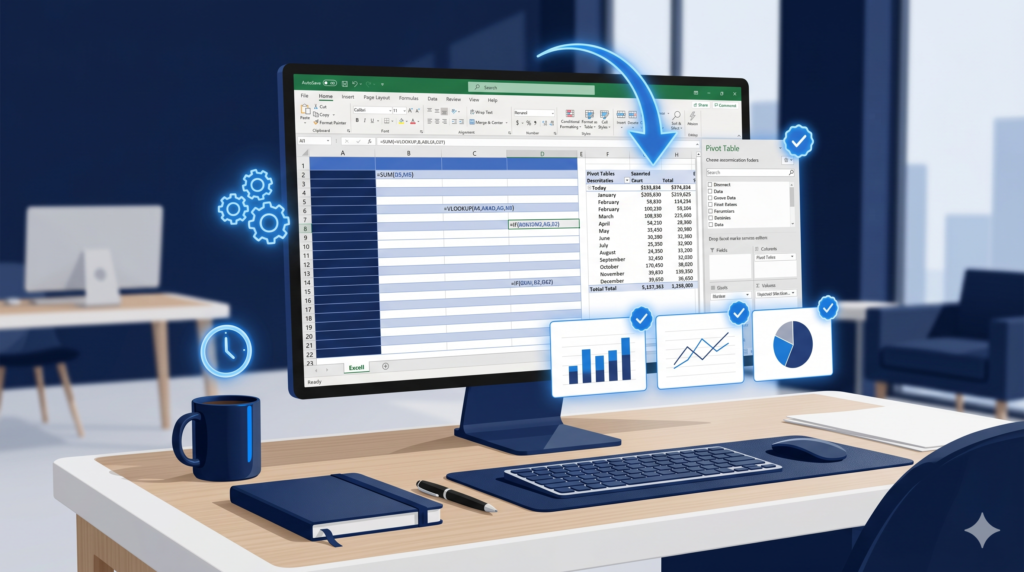
Matching hundreds of invoices against bank statements by hand is time-consuming and prone to mistakes. With Excel automation, you can build lookup formulas such as VLOOKUP or INDEX/MATCH that instantly flag discrepancies between two data sets. Additionally, conditional formatting can highlight unmatched entries in red automatically, making reviews faster and as a “grand finalle” you can add VBA to what is left.
Learn more about Excel’s built-in functions at Microsoft Support
2. Payroll Calculation Sheets
Payroll involves dozens of variables: hours worked, tax brackets, overtime, and deductions. Therefore, building a custom Excel spreadsheet with nested IF formulas and named ranges eliminates manual re-entry every pay cycle. Furthermore, a single template update cascades changes across all employee records instantly.
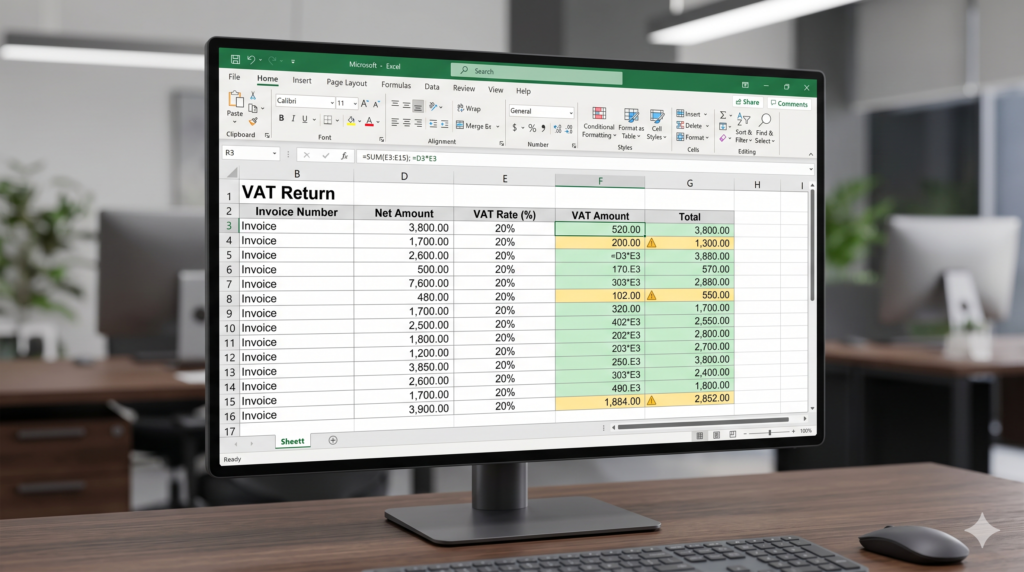
3. VAT Return Preparation
Preparing VAT returns manually is one of the most error-prone tasks in an accountancy practice. However, by building an Excel template that auto-calculates VAT based on transaction type and rate, you reduce submission errors considerably.
As a result, your team spends less time double-checking figures and more time advising clients.
4. Budget vs. Actuals Tracker
Clients always want to know how their spending compares to the budget. Consequently, an automated Excel dashboard that pulls from monthly transaction data and displays variances visually gives you a professional deliverable without extra manual effort. Pivot tables are your best friend for this use case.
5. Bank Statement Import and Categorization
Instead of typing transaction descriptions one by one, you can automate Excel spreadsheets to auto-categorize bank statement imports using keyword-matching formulas and VBA for faster integration. For example, any transaction containing “HMRC” is tagged as tax, while entries with “SAAS” are flagged as software costs. This saves hours each month.
6. Automated Financial Reporting
Generating monthly P&L reports no longer needs to be a manual exercise. In addition, with Excel’s Power Query, you can connect to your accounting software exports and refresh data with a single click. Moreover, pre-built charts update automatically, so your client reports are always presentation-ready.
7. Aged Debtor and Creditor Reports
Cash flow depends on knowing who owes what and when. Therefore, a structured Excel spreadsheet with automated date-difference calculations can flag invoices overdue by 30, 60, or 90 days in different colors. On the other hand, without automation, this kind of review requires sorting through raw data manually every time.
8. Tax Deadline Calendar and Alerts
Tracking filing deadlines across multiple clients is a real operational challenge. Consequently, building a dynamic Excel calendar that uses TODAY() and conditional formatting rules to highlight upcoming deadlines in amber and red helps your team stay on top of compliance. No deadline falls through the cracks again.
9. Client Profitability Analysis
Not all clients generate the same margin. However, many accountancy practices do not measure this consistently. An automated Excel model that maps billable hours, overhead costs, and fee income per client reveals your most and least profitable relationships clearly. Furthermore, this insight directly supports better pricing decisions.
10. Trial Balance Automation
Finally, a custom-built Excel spreadsheet that imports trial balance data from your accounting software and runs automatic cross-checks against expected totals reduces the time your team spends on period-end reviews. In summary, the last-mile checks that once took a full day can often be completed in under an hour.
Conclusion: Automate Excel Spreadsheets Is Powerful, But Building It Right Matters
These ten use cases show what is possible when you automate Excel spreadsheets inside an accountancy practice. However, building robust, error-free solutions takes expertise that goes well beyond basic spreadsheet knowledge.
At Sapphire Business Technology, we have helped more than 500 satisfied clients build custom Excel spreadsheets and automation solutions tailored to their exact business processes. Our specialists design, build, and maintain solutions that work reliably so your team can focus on what they do best.
Ready to explore a professional solution for your practice? Reach out to Sapphire Business Technology today.
Content created by Sapphire Business Technology, specialists in Excel, Power BI and Microsoft 365 solutions with over 500 satisfied clients.